Building a website used to require coding knowledge, expensive developers, and weeks of waiting. Today, no-code website builders have transformed web creation. These tools allow anyone — from small business owners to creative professionals — to build attractive, functional websites without writing a single line of code.
In this article, we compare the top no-code website builders in 2025 and show exactly where sitestudio stands in this crowded landscape. Whether you’re launching a small business website, portfolio, blog, or online store, this guide will help you choose the right platform.
Before comparing platforms, it’s important to understand the key qualities of a powerful no-code website builder:
Ease of Use: Drag-and-drop editor with a gentle learning curve
Design Flexibility: Customizable templates and layouts
Features & Integrations: SEO, marketing, e-commerce, analytics
Performance: Fast loading speeds and reliable hosting
Pricing: Transparent, budget-friendly plans
Support & Resources: Tutorials and responsive help
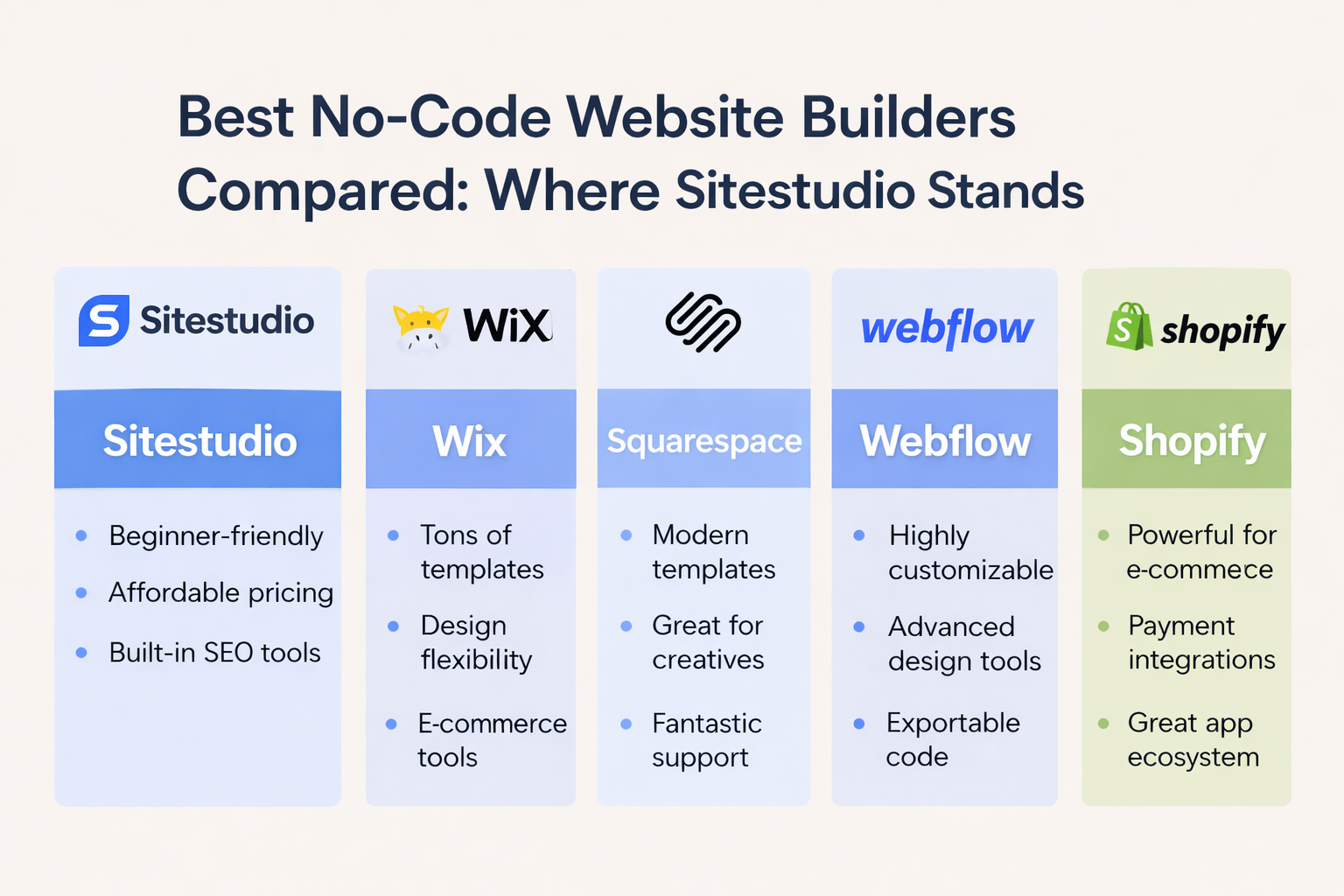
Sitestudio is a rising star in the no-code website builder space. It focuses on simplicity without sacrificing essential features, making it ideal for beginners and small businesses.
Pros:
✔ Extremely beginner-friendly
✔ Modern, professional templates
✔ Bundled hosting included
✔ Built-in SEO features
✔ Affordable pricing
Cons:
⚠ Fewer third-party integrations than larger platforms
⚠ Limited advanced customization for complex projects
Wix is one of the most popular no-code builders globally, known for its massive template library and design flexibility.
Pros:
✔ Huge template selection
✔ Powerful design controls
✔ Strong e-commerce features
Cons:
⚠ Can feel overwhelming for beginners
⚠ Many advanced features require premium plans
Squarespace is favored by creatives such as photographers, artists, and designers for its polished visuals.
Pros:
✔ Stunning, minimalist templates
✔ Strong blogging and portfolio tools
✔ Reliable customer support
Cons:
⚠ Steeper learning curve than sitestudio
⚠ Higher pricing compared to entry-level builders
Webflow offers advanced design control without code, targeting designers and developers.
Pros:
✔ Extreme design flexibility
✔ Advanced SEO tools
✔ Clean, exportable code
Cons:
⚠ Not beginner-friendly
⚠ Higher costs for advanced features
Shopify is primarily an e-commerce platform but qualifies as a no-code builder for online stores.
Pros:
✔ Best-in-class e-commerce features
✔ Secure payment integrations
✔ Massive app ecosystem
Cons:
⚠ Not ideal for non-store websites
⚠ Monthly costs can increase quickly
Ease of Use: Sitestudio ⭐⭐⭐⭐☆ | Wix ⭐⭐⭐⭐☆ | Squarespace ⭐⭐⭐☆☆ | Webflow ⭐⭐☆☆☆ | Shopify ⭐⭐⭐☆☆
Templates & Design: Sitestudio ⭐⭐⭐⭐☆ | Wix ⭐⭐⭐⭐⭐ | Squarespace ⭐⭐⭐⭐☆ | Webflow ⭐⭐⭐⭐⭐ | Shopify ⭐⭐⭐☆☆
SEO Capabilities: Sitestudio ⭐⭐⭐⭐☆ | Wix ⭐⭐⭐⭐☆ | Squarespace ⭐⭐⭐⭐☆ | Webflow ⭐⭐⭐⭐⭐ | Shopify ⭐⭐⭐⭐☆
E-Commerce: Sitestudio ⭐⭐⭐☆☆ | Wix ⭐⭐⭐⭐☆ | Squarespace ⭐⭐⭐☆☆ | Webflow ⭐⭐⭐⭐⭐ | Shopify ⭐⭐⭐⭐⭐
Pricing Value: Sitestudio ⭐⭐⭐⭐☆ | Wix ⭐⭐⭐☆☆ | Squarespace ⭐⭐⭐☆☆ | Webflow ⭐⭐☆☆☆ | Shopify ⭐⭐⭐⭐☆
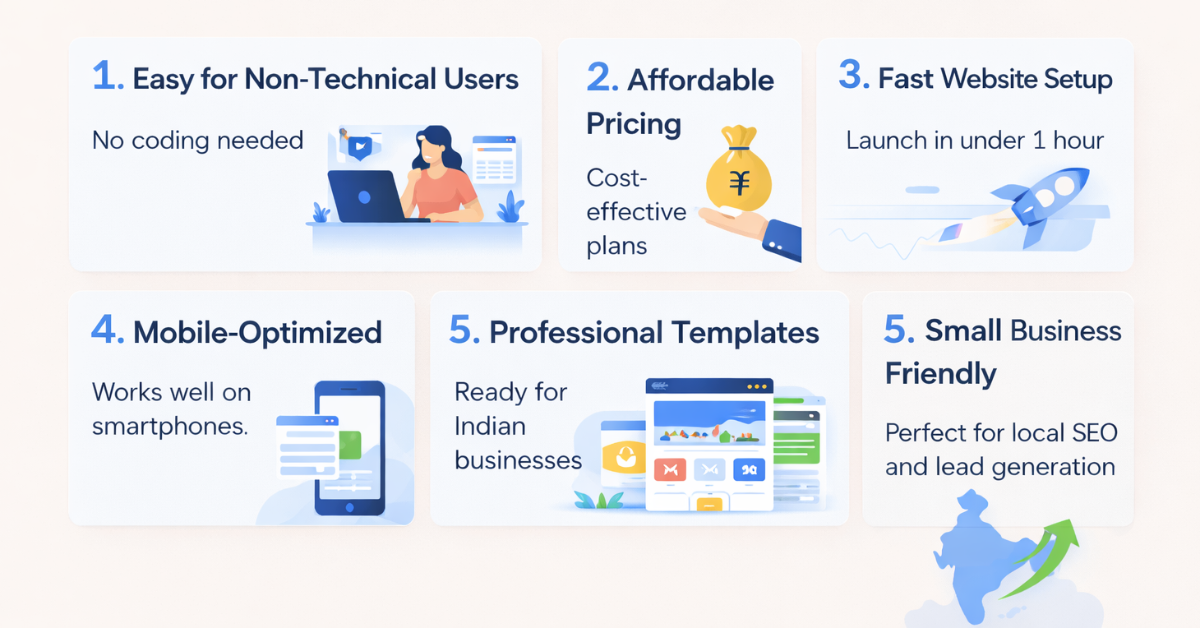
Sitestudio’s interface is clean and intuitive, making it far less intimidating than Webflow or even Squarespace.
With responsive templates and pre-built sections, you can launch a professional website in under one hour.
SEO basics, mobile optimization, and lead capture tools come built-in—no plugins or upgrades required.
Sitestudio delivers essential features at a lower cost than most premium plans from competitors.
Sitestudio is ideal if you are:
✔ A beginner with no coding experience
✔ A small business owner needing a quick launch
✔ Someone who wants clean design with minimal effort
✔ Building an informational website or simple online store
✔ Budget-conscious
Yes, it supports online stores, though Shopify offers more advanced e-commerce features.
Migration options depend on export capabilities and platform compatibility.
Yes, it includes built-in SEO tools and mobile-responsive designs.
Yes, hosting is included with most plans.
Absolutely. Sitestudio supports custom domain connections.
Yes, all templates automatically adapt to mobile devices.


Lorem Ipsum is simply dummy text of the printing and typesetting industry. Lorem Ipsum has been the industry's standard dummy. Transform your vision into a fully functioning and highly responsive website with our expert website development services. Our skilled developers utilize the latest technologies to build custom... Introducing the revolutionary travel package management module. Craft dynamic itineraries, tailor pricing, track availability, manage inclusions, automate promotions, analyze trends. Optimize,... Social media marketing: We develop and execute a targeted social media strategy to increase your brand's visibility and engagement on popular social media platforms like Facebook, Instagram, and...
Services

Website Development

Tours & Travels

Social Media Marketing
Site Studio is amazing to work with! They are professional, responsive, and delivered a high-quality website that exceeded my expectations. I would highly recommend them to anyone looking for a website development service.
What our clients say about Site Studio
Satisfied people feedback

